
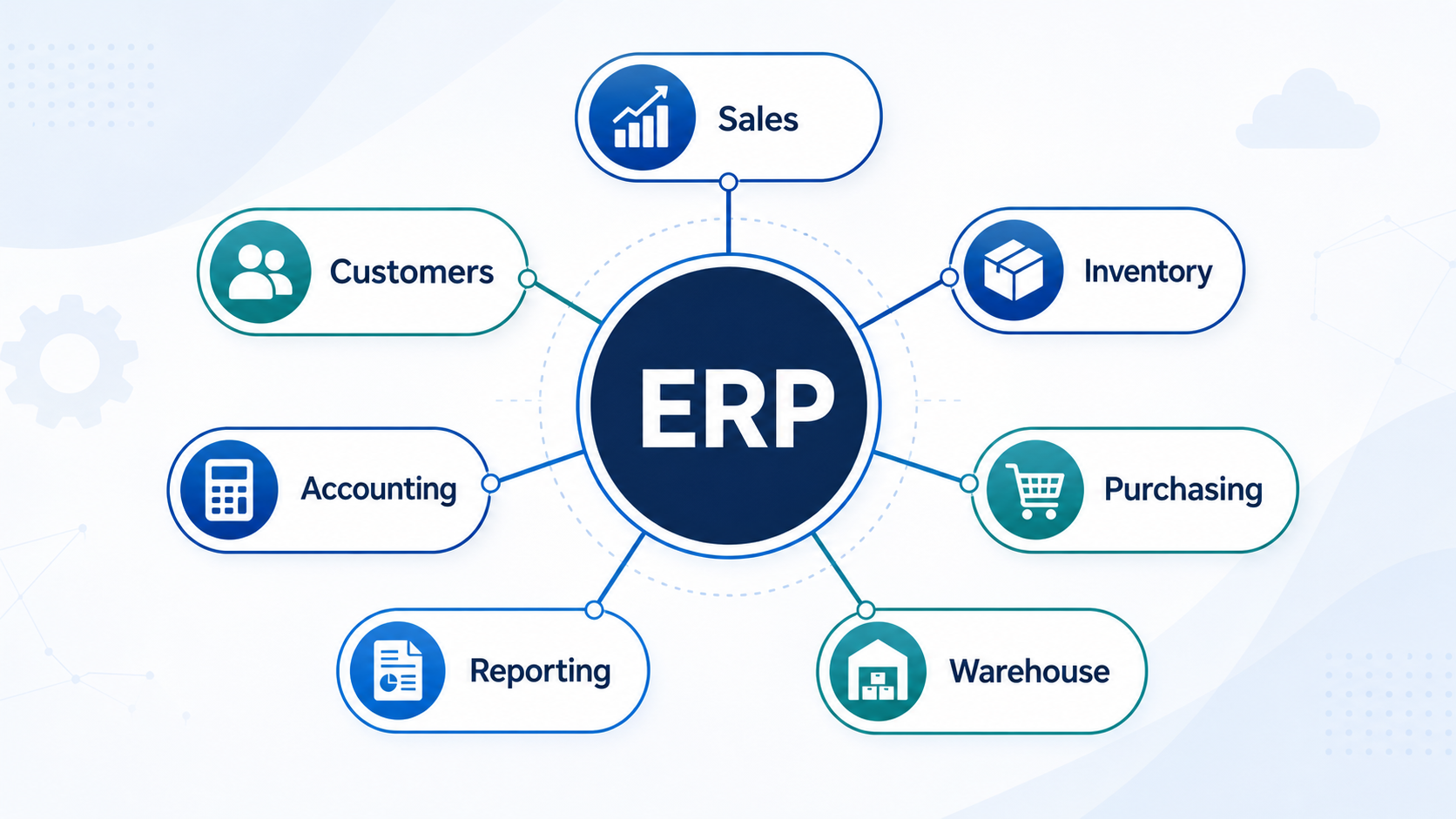
Instead of managing sales, purchasing, inventory, warehouse activities, customer information, accounting, and reporting in separate systems, an ERP system brings these functions together. This gives employees access to consistent, up-to-date information and allows data to move between departments without repeated manual entry.
For a growing business, ERP is not simply accounting software or inventory software. It is the operational foundation that connects people, processes, and information.
ERP Definition
A typical ERP system may include:
- Sales order management
- Purchasing and procurement
- Inventory management
- Warehouse management
- Customer relationship management
- Accounts receivable and accounts payable
- General ledger and financial reporting
- Business intelligence and dashboards
The exact combination of modules depends on the company, industry, and ERP provider.
The defining feature of ERP is integration. Information entered in one part of the system becomes available to other authorized users and processes.
What Does ERP Stand For?
ERP stands for Enterprise Resource Planning.
The term may sound as though it only applies to large enterprises. However, modern ERP systems are used by organizations of many sizes, including small and mid-sized distributors, importers, wholesalers, manufacturers, retailers, and service businesses.
"Resource planning" also means more than planning employees or materials. In an ERP environment, resources may include:
- Inventory
- Cash
- Warehouse capacity
- Supplier availability
- Customer demand
- Equipment
- Employee time
- Business data
ERP helps a company understand how these resources are being used and how activities in one department affect the rest of the organization.
How Does an ERP System Work?
An ERP system connects business transactions through a shared database and a set of related workflows.
Consider a typical customer order:
- A sales representative creates a sales order.
- The system checks available inventory.
- The approved order is released to the warehouse.
- Warehouse employees pick and pack the products.
- Shipment details and tracking information are recorded.
- Inventory is reduced after shipment.
- An invoice is created for the customer.
- Accounts receivable is updated.
- Managers can review the transaction in sales, inventory, warehouse, and financial reports.
Without ERP, each step might be managed in a different spreadsheet or application. Employees may need to copy data manually, send emails between departments, or ask colleagues for status updates.
With ERP, one transaction can update several connected business records.
What Is a Single Source of Truth?
A single source of truth means that employees rely on one controlled and consistent set of business data.
In a spreadsheet-based environment, different departments may maintain separate versions of:
- Inventory quantities
- Customer records
- Product prices
- Purchase orders
- Sales forecasts
- Shipment status
When these files are not synchronized, employees may make decisions using different information.
An ERP system reduces this problem by maintaining shared records. Access can still be controlled by role, but authorized employees work from the same underlying information.
A single source of truth does not guarantee perfect data. Employees must still follow consistent procedures. However, it creates a much stronger foundation for data accuracy and accountability.
What Are the Main ERP Modules?
ERP platforms are normally organized into functional modules. Each module supports a group of related business activities while sharing information with the rest of the system.
Sales Order Management
Sales order management supports the process from quotation through fulfillment and invoicing.
Common functions include:
- Customer quotations
- Sales order entry
- Customer-specific pricing
- Credit checks
- Inventory availability
- Order approval
- Backorder management
- Fulfillment status
- Shipment tracking
- Invoicing
An integrated sales module helps representatives answer customer questions without contacting several other departments.
For example, a representative may be able to see whether an item is available, whether an order has been picked, and whether the shipment has left the warehouse.
Purchasing and Procurement
The purchasing module manages the process of acquiring products and services from suppliers.
Common functions include:
- Purchase requisitions
- Purchase order records
- Supplier records
- Purchase approvals
- Expected receipt dates
- Partial receipts
- Supplier pricing
- Lead-time tracking
- Vendor performance
- Replenishment recommendations
Purchasing becomes especially important for distributors and importers because supplier lead times, demand changes, and inventory levels must be considered together.
An integrated system allows purchasing employees to review current stock, open sales orders, existing purchase orders, and historical usage before placing a new order.
Inventory Management
Inventory management tracks what products a company owns, where the products are located, and how quantities change.
Typical functions include:
- On-hand inventory
- Available inventory
- Allocated inventory
- Inventory transfers
- Adjustments
- Cycle counting
- Lot tracking
- Serial number tracking
- Units of measure
- Safety stock
- Reorder points
- Inventory valuation
Inventory is affected by many departments. Purchasing increases expected supply, receiving increases physical stock, sales orders allocate inventory, and shipping reduces stock.
ERP connects these events so inventory information can be updated as transactions occur.
Warehouse Management
Warehouse management controls the physical movement of products through a warehouse.
Common warehouse processes include:
- Receiving
- Inspection
- Putaway
- Storage
- Replenishment
- Picking
- Packing
- Shipping
Warehouse functionality may also include:
- Bin locations
- Barcode scanning
- Mobile devices
- Pick lists
- Wave picking
- Packing validation
- Shipping labels
- Cycle counts
- Warehouse productivity reporting
Inventory management answers questions about quantity and ownership. Warehouse management focuses more closely on the physical location and movement of inventory.
Some ERP systems include warehouse functionality inside the main platform. Other businesses use a separate Warehouse Management System, or WMS, connected to the ERP.
Customer Relationship Management
Customer Relationship Management, or CRM, supports interactions with prospects and customers.
Functions may include:
- Lead management
- Opportunities
- Sales activities
- Contact history
- Tasks and reminders
- Customer communications
- Sales forecasting
- Service history
When CRM and ERP are connected, sales teams can combine relationship information with operational information such as order history, pricing, payment status, and product availability.
Accounting and Finance
Accounting modules record the financial impact of business activity.
Common functions include:
- Accounts receivable
- Accounts payable
- General ledger
- Customer invoicing
- Supplier invoices
- Credit notes
- Debit notes
- Bank reconciliation
- Cash management
- Financial statements
- Tax reporting
- Cost and margin analysis
Integrated accounting reduces the need to re-enter operational transactions into a separate financial system.
For example, a completed shipment may trigger invoicing, update customer balances, record revenue, and reflect the related inventory cost.
Reporting and Business Intelligence
Reporting modules convert business data into useful information.
Common reports and dashboards include:
- Sales by product, customer, or territory
- Gross margin
- Inventory turnover
- Stock aging
- Fill rate
- Backorders
- Purchase order status
- Supplier performance
- Picking productivity
- Order accuracy
- Accounts receivable aging
- Cash flow
- Profit and loss
Traditional reporting explains what has already happened. More advanced analytics may help identify trends, exceptions, and future risks.
What Are the Benefits of ERP?
ERP benefits depend on how well the system fits the company's processes and how consistently employees use it. The most common benefits include the following.
Better Data Visibility
Employees can access relevant business information without searching through disconnected files, emails, and applications.
Sales can review inventory. Purchasing can review demand. Warehouse employees can see released orders. Managers can review performance across departments.
Reduced Manual Data Entry
Connected processes reduce the need to type the same information into several systems.
This can lower the risk of:
- Incorrect quantities
- Duplicate orders
- Pricing errors
- Missed updates
- Inconsistent customer records
Automation does not eliminate the need for controls, but it reduces avoidable administrative work.
More Consistent Processes
ERP workflows can help standardize how employees complete recurring tasks.
For example, a company may establish consistent steps for:
- Creating sales orders
- Approving discounts
- Receiving purchase orders
- Recording inventory adjustments
- Releasing warehouse work
- Approving supplier invoices
Standardization makes training easier and reduces dependence on individual knowledge.
Improved Inventory Accuracy
ERP creates transaction records for receipts, transfers, adjustments, allocations, picks, and shipments.
When these transactions are completed correctly and on time, the system can provide more reliable inventory visibility.
However, software alone cannot create inventory accuracy. Accurate inventory also requires disciplined receiving, putaway, picking, shipping, and cycle-counting procedures.
Faster Order Fulfillment
Integrated order and warehouse workflows reduce delays between departments.
The warehouse can receive approved work electronically, sales can monitor order status, and shipping information can flow back to customer service.
Better Decision-Making
Managers can use dashboards and reports based on current operational data instead of waiting for manually consolidated spreadsheets.
This makes it easier to identify:
- Products that are selling quickly
- Excess or aging inventory
- Delayed purchase orders
- Low-margin customers or products
- Warehouse bottlenecks
- Overdue receivables
Improved Scalability
A company may be able to handle more orders, products, customers, warehouses, and employees without increasing administrative work at the same rate.
ERP supports growth by creating repeatable processes and a consistent information structure.
What Problems Does ERP Solve?
Organizations often consider ERP after experiencing a combination of operational problems.
Common examples include:
- Inventory records frequently differ from physical stock.
- Employees maintain multiple versions of the same spreadsheet.
- Sales cannot see reliable product availability.
- Purchasing decisions are based primarily on memory.
- Warehouse work is communicated through paper or email.
- Reports take hours or days to prepare.
- Information must be entered into several applications.
- Management cannot see real-time business performance.
- Customer orders are delayed because departments are disconnected.
- Important processes depend on one experienced employee.
ERP is not the only possible solution to these problems. In some cases, the company first needs clearer procedures, better training, or stronger management controls.
The best results normally come from improving processes and technology together.
ERP vs. Accounting Software, CRM, and WMS
ERP vs. Accounting Software
Accounting software primarily manages financial transactions and financial reporting.
ERP includes accounting but normally extends into operational areas such as:
- Sales
- Purchasing
- Inventory
- Warehousing
- Production
- Customer management
- Supply chain planning
A business may outgrow accounting software when operational teams rely heavily on spreadsheets or separate applications outside the financial system.
The difference is not simply the number of features. ERP connects financial and operational activity within a broader business process.
ERP vs. CRM
CRM focuses mainly on prospects, customers, sales activities, and relationships.
ERP focuses on the broader operation, including inventory, purchasing, warehousing, fulfillment, and finance.
The systems overlap in areas such as customer records, quotations, orders, pricing, and sales reporting.
Some ERP platforms include built-in CRM. Other companies integrate a specialized CRM with their ERP.
ERP vs. WMS
A Warehouse Management System specializes in warehouse execution.
A WMS may provide more advanced capabilities for:
- Directed putaway
- Wave planning
- Pick-path optimization
- Labor management
- Mobile scanning
- Packing validation
- Multiple warehouse zones
ERP manages a wider range of business processes, including sales, purchasing, finance, inventory ownership, and reporting.
A company with straightforward warehouse operations may use the warehouse functions included in its ERP. A large or complex distribution operation may connect a specialized WMS to the ERP.
Cloud ERP vs. On-Premise ERP
Cloud ERP is hosted by the software provider or a cloud infrastructure provider and is normally accessed through the internet.
On-premise ERP is installed and managed on servers controlled by the customer.
| Area | Cloud ERP | On-Premise ERP |
|---|---|---|
| Infrastructure | Hosted externally | Managed by the customer |
| Initial investment | Usually lower | Usually higher |
| Updates | Commonly managed by provider | Managed internally |
| Remote access | Normally built in | May require additional setup |
| IT responsibility | Shared with provider | Primarily internal |
| Scalability | Often easier | Depends on infrastructure |
| Customization | Usually more controlled | May allow deeper modification |
Cloud ERP is often attractive to small and mid-sized organizations because it reduces server maintenance and supports remote access.
On-premise ERP may remain appropriate where companies have specialized security, integration, infrastructure, or customization requirements.
Who Uses ERP?
ERP systems are used across many industries, including:
- ERP for industrial distributors
- Wholesale
- Importing
- Manufacturing
- Retail
- Construction
- Professional services
- Healthcare
- Transportation
- Food distribution
- Equipment and parts distribution
Within a company, ERP users may include:
- Sales representatives
- Customer service teams
- Buyers
- Warehouse employees
- Inventory planners
- Accountants
- Operations managers
- Executives
- System administrators
Different employees use different parts of the system, but they contribute to the same connected business process.
Does a Small Business Need ERP?
A company does not need to be large before ERP becomes useful.
Company size is only one consideration. Operational complexity is often more important.
A smaller company may benefit from ERP when it has:
- A large number of products
- Multiple warehouses
- Frequent purchasing activity
- Complex customer pricing
- Serial- or lot-controlled products
- High order volume
- Several departments using the same data
- Significant inventory investment
- Complex fulfillment requirements
A company with relatively simple operations may continue using accounting software and spreadsheets successfully for longer.
The question is not only, "How many employees do we have?" It is also, "How difficult is it to control our operation with the tools we use today?"
Signs a Business Has Outgrown Spreadsheets
Spreadsheets are useful and flexible, but they become risky when they operate as the company's primary transaction system.
Warning signs include:
- Multiple employees edit separate copies of the same file.
- Inventory information becomes outdated quickly.
- Formulas are changed or deleted accidentally.
- Historical changes are difficult to trace.
- Order status depends on manual updates.
- Reports require copying data from many sources.
- Access permissions are difficult to control.
- Employees cannot work confidently without one spreadsheet owner.
- The business cannot easily connect sales, purchasing, inventory, and finance.
Moving to ERP does not mean eliminating Excel completely. Businesses often continue using spreadsheets for analysis, modeling, imports, and exports.
The important change is that ERP becomes the controlled system of record.
How to Choose an ERP System
Choosing ERP should begin with business requirements, not software demonstrations.
1. Document Current Processes
Map how the company currently handles:
- Leads and quotations
- Sales orders
- Purchasing
- Receiving
- Putaway
- Inventory control
- Picking
- Packing
- Shipping
- Invoicing
- Returns
- Reporting
Identify where delays, errors, duplicate work, and workarounds occur.
2. Define Essential Requirements
Separate requirements into three categories:
- Must have
- Should have
- Nice to have
This prevents the selection process from being driven by impressive features that do not solve important business problems.
3. Evaluate Industry Fit
A system designed mainly for professional services may not be appropriate for an inventory-intensive distributor.
Confirm that the ERP supports the company's real workflows, terminology, transaction volume, inventory controls, and reporting needs.
4. Review Usability
A system only creates value when employees use it consistently.
During demonstrations, ask employees who perform the actual work to evaluate:
- Number of steps
- Screen clarity
- Search functions
- Mobile usability
- Error handling
- Training requirements
5. Understand the Total Cost
ERP cost may include:
- Subscription or licence fees
- Implementation
- Data migration
- Integrations
- Customization
- Training
- Support
- Hardware or scanning devices
- Internal employee time
A low software price does not always produce a low total cost.
6. Evaluate the Provider
Consider:
- Industry knowledge
- Implementation methodology
- Support availability
- Product development
- Security practices
- Data ownership
- Backup and recovery
- Integration capabilities
- Customer references
The working relationship with the provider can be as important as the feature list.
What Are the Main ERP Implementation Steps?
A typical ERP implementation includes the following stages.
Discovery
The company and implementation team document objectives, requirements, risks, and project scope.
Process Design
Future workflows are designed. Unnecessary steps and outdated practices should be challenged rather than copied automatically into the new system.
Configuration
The ERP is configured for products, customers, suppliers, warehouses, pricing, taxes, permissions, workflows, and financial structures.
Data Preparation
Existing data is cleaned, standardized, and mapped.
Typical migration data includes:
- Customers
- Suppliers
- Products
- Opening inventory
- Open sales orders
- Open purchase orders
- Accounts receivable
- Accounts payable
- General ledger balances
Testing
Employees test complete business scenarios, not only individual screens.
Testing should include:
- Normal transactions
- Partial shipments
- Backorders
- Returns
- Cancellations
- Inventory adjustments
- Pricing exceptions
- Approval workflows
- Month-end processes
Training
Training should be based on employee roles and real workflows.
Warehouse employees do not need the same training as accountants, and sales representatives do not need the same training as system administrators.
Go-Live
The company begins processing live transactions in the new system.
Additional support is normally required during the first days or weeks while users adapt and issues are corrected.
Continuous Improvement
ERP implementation does not end at go-live.
Companies should review:
- User adoption
- Data accuracy
- Process compliance
- Reporting
- Automation opportunities
- System performance
- New business requirements
Why Do ERP Implementations Fail?
ERP projects commonly struggle because of organizational and process issues rather than software alone.
Frequent causes include:
- Unclear objectives
- Incomplete requirements
- Poor data quality
- Insufficient testing
- Limited user involvement
- Weak project ownership
- Inadequate training
- Excessive customization
- Unrealistic timelines
- Resistance to process change
One of the most common mistakes is attempting to reproduce every old process in the new system.
An ERP project is an opportunity to simplify and standardize the operation, not merely transfer existing inefficiencies into new software.
Expert Insight: Process Discipline Comes Before Automation
Businesses sometimes assume that installing ERP will automatically correct inventory and operational problems.
In practice, ERP records what employees tell it has happened.
If a receipt is not posted, the system cannot know the products arrived. If inventory is moved without a transfer, the system cannot know its new location. If picking errors are not recorded, system inventory and physical inventory may gradually separate.
Reliable ERP data depends on consistent execution.
Before automating a process, define:
- Who performs each step
- When the transaction is recorded
- What information is required
- Which exceptions need approval
- How errors are corrected
- How performance is measured
Technology strengthens a well-designed process. It does not replace process discipline.
Frequently Asked Questions
What is ERP in simple terms?
ERP is software that connects a company's main activities and information in one system.
What is an example of ERP?
A system that connects sales orders, inventory, purchasing, warehouse operations, invoicing, and accounting is an example of ERP.
Is ERP the same as accounting software?
No. Accounting software focuses on financial records. ERP normally includes finance and broader operational functions.
Is ERP the same as inventory management?
No. Inventory management is one component of ERP. ERP also connects functions such as sales, purchasing, warehousing, customers, and finance.
Is ERP only for large companies?
No. Small and mid-sized companies use ERP when their processes become too complex for disconnected systems and spreadsheets.
Can ERP replace Excel?
ERP can replace spreadsheets used as operational databases or transaction trackers. Excel may still be used for analysis and reporting.
What is cloud ERP?
Cloud ERP is an ERP system hosted externally and accessed through the internet.
What is an ERP module?
An ERP module is a group of related functions, such as sales, purchasing, inventory, warehouse management, or finance.
How long does ERP implementation take?
Implementation may take several weeks or many months. The timeline depends on company size, process complexity, data quality, integrations, customization, and available resources.
How much does ERP cost?
ERP cost varies according to users, modules, transaction volume, implementation requirements, integrations, support, and customization.
What information is stored in ERP?
ERP may store customer, supplier, product, inventory, order, shipment, financial, pricing, and operational information.
Does ERP improve inventory accuracy?
ERP provides the controls and transaction records required for accurate inventory. Results still depend on consistent warehouse procedures and timely data entry.
What is the difference between ERP and WMS?
ERP manages company-wide processes. WMS specializes in detailed warehouse execution and inventory movement.
What is the difference between ERP and CRM?
CRM focuses primarily on customer relationships and sales activities. ERP manages a broader range of operational and financial processes.
What is the most important feature of ERP?
Integration is the most important defining feature because it connects departments through shared data and workflows.
Key Takeaways
ERP is an integrated system that connects a company's core business activities.
It can improve visibility, consistency, productivity, and decision-making by allowing departments to work from shared information.
The main ERP functions commonly include sales, purchasing, inventory, warehouse management, CRM, accounting, and reporting.
However, ERP software alone does not guarantee operational improvement. Successful results require clear processes, accurate data, employee involvement, training, testing, and ongoing management.
The right ERP is not necessarily the system with the longest feature list. It is the system that supports the organization's real workflows, is practical for employees to use, and can grow with the business.
Ready to Replace Disconnected Systems?
See how PiERP connects sales, purchasing, inventory, warehouse operations, customers, accounting, and reporting in one platform.
Book a Free Demo